

Share - Share / link / save the current map view
The top tool "Share" in the menu allows you to share all geodata and settings that you have loaded and made on the map viewer in various ways.
Back to the main help page
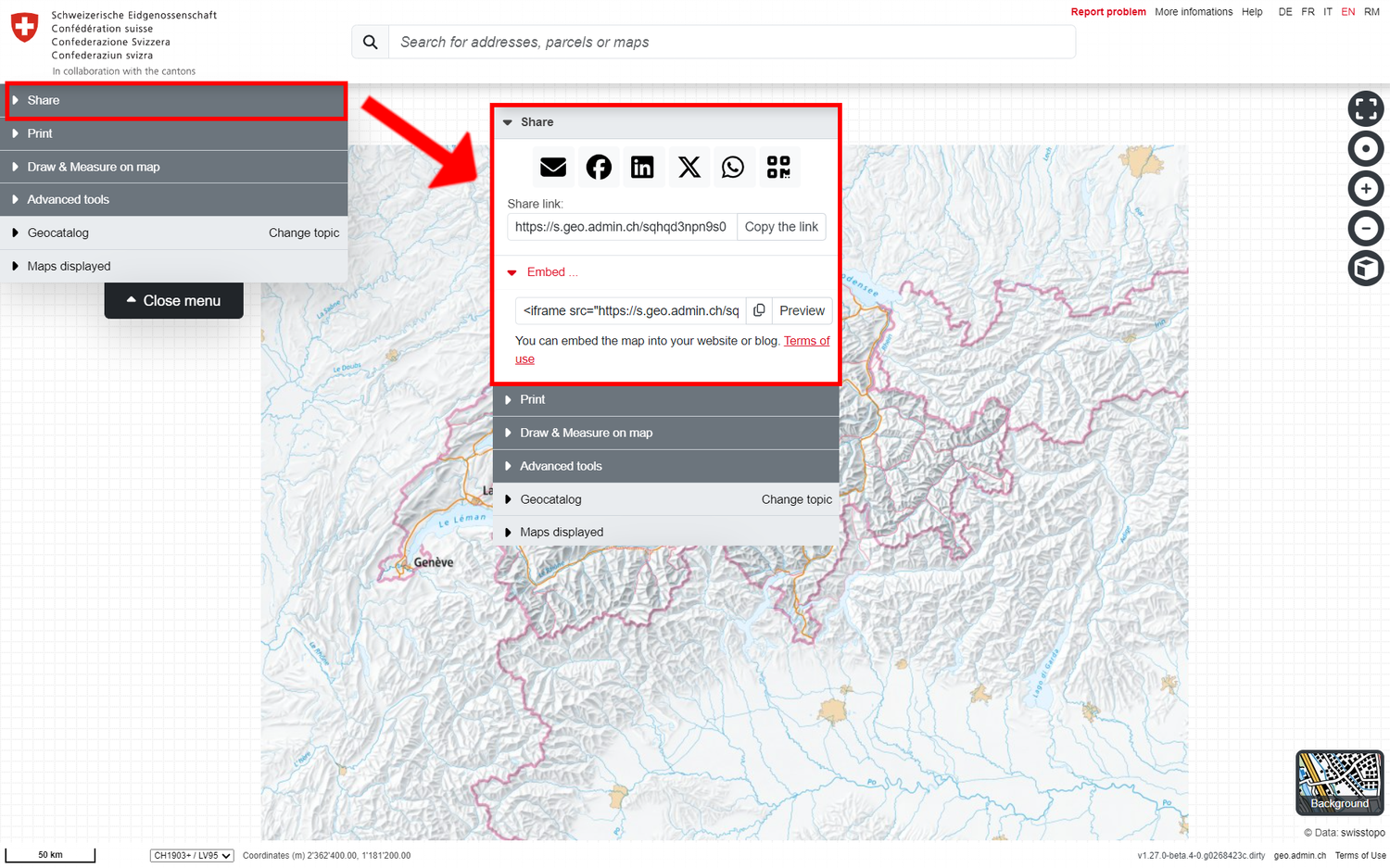
Save or share the current map display
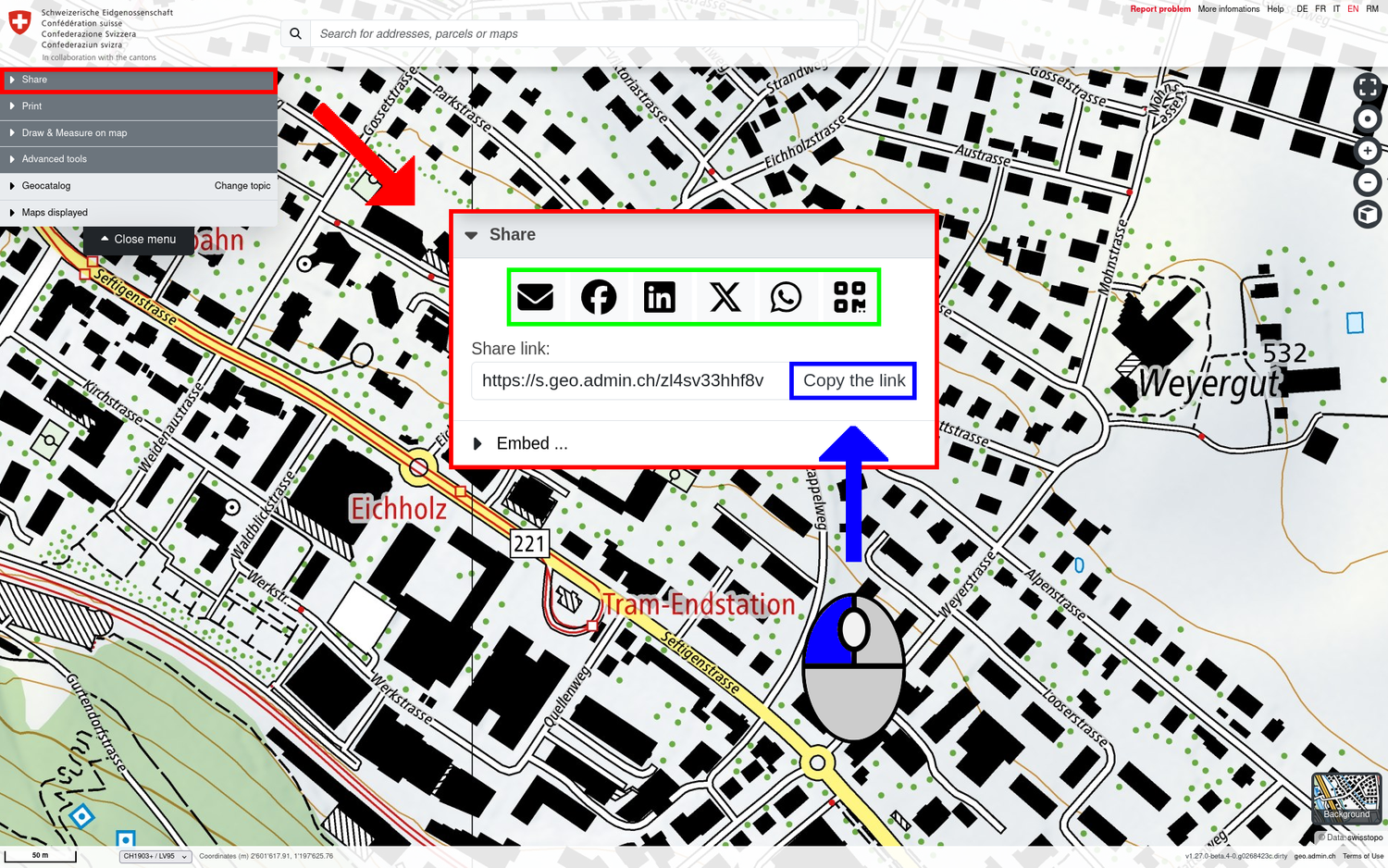
With the "Share link: " function, the current map display (data records, location, zoom level) can be copied as a link (short URL), saved and forwarded by e-mail or via various social media.
Alternatively, the current map display can also be copied and reused via the URL line of the web browser or its individual parameters can be customised.
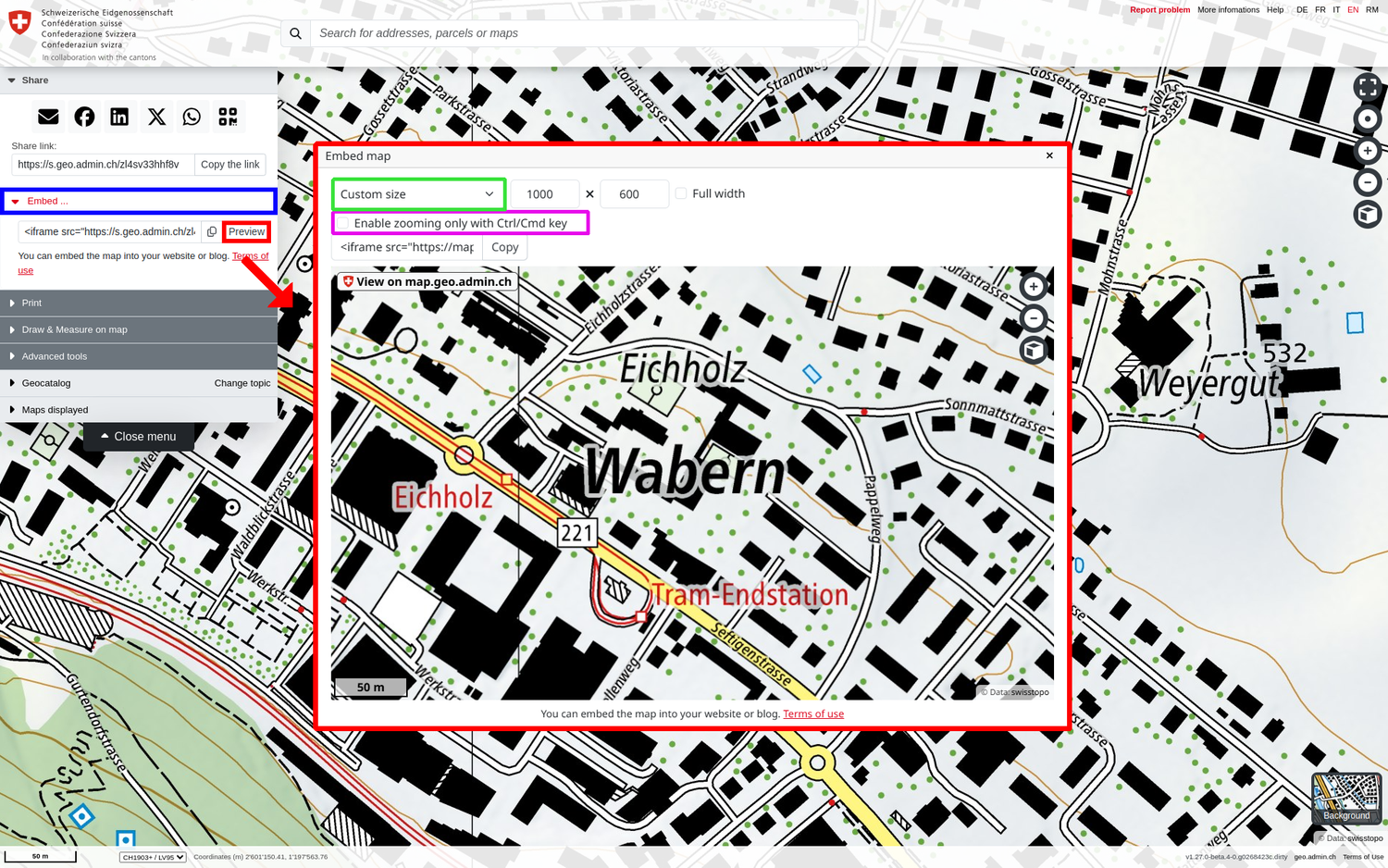
Integration of the map into a website using iFrame
The HTML code for integration into your own website is generated automatically and is available via the "Embed" menu item. The size of the map window can be customised via the "Preview". The generated code can be reused directly in the source code of your website.
Note: If you also want to include your geolocalisation in the map and it does not work, integrate the parameter "allow='geolocation' " right before the ">" parameter at the end of the HTML code.
Note: Application examples and tips on the possibilities of using map.geo.admin.ch via iframe can be found on our Web Integration: iFrame page.
Saving/forwarding a single map element
Save link to geo-object / map element or forward by e-mail. For vector data sets (point, line, polygon), a link (URL) can be generated directly to an individual geoobject of a data set, if available. In the object information window, a URL "Link to object" is specified as the last information unit. This opens a new map window that is centred on the corresponding geo-object. The same «Link to object» can be copied by right-clicking to send the centred element further.
Personalise the map with URL parameters
An information on how to understand and adjust the URL parameters can be found in the technical documentation:
Following the MapViewer update in June 2024, some URL parameters were exchanged. The list of changes can be found here: