

New version of the map viewer published
At the end of the month, a new version of map.geo.admin.ch was published (version 1.48.0).
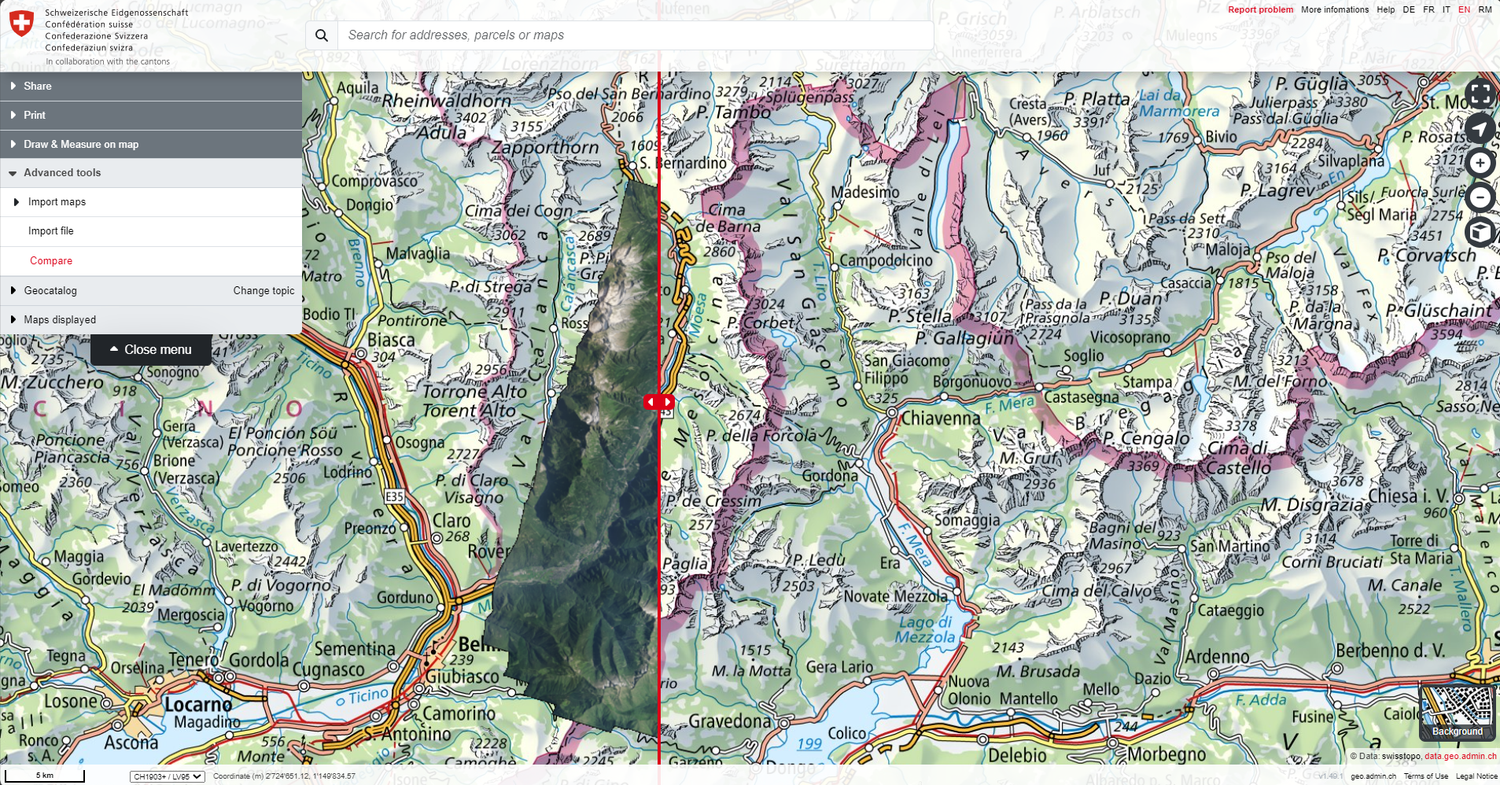
This version includes new features and bug fixes based on constructive feedback from our users. The geoportal team would like to thank everyone who contributed to this. Details of new features, new content and bug fixes are listed below:
New features
Map usage
- When viewing maps with timestamped data, the object information window now takes the selected period into account. If the displayed time period is changed while the object information window is open, the selected objects in the window are automatically updated.
- The map legend can be freely positioned in the map window and its size can be changed.
- The new magnifying glass icon can be used to zoom in on the individual data set.
- A new symbol indicates whether imported files are from a local computer or an online source.
Support for COG format
- Image files can now be displayed in COG (cloud-optimised GeoTIFF) format. These can be imported from a local or online source. The ‹Compare› tool has also been adapted to support COG.
Search window
- The URL parameter ‹swisssearch_autoselect› is now available. If this is set to ‹true›, the map viewer will automatically zoom in on the first search result (this replaces the old ‹Limit:1› functionality that was present in the swisssearch URL parameter search text).
KML/GPX usage
- The content of KML and GPX files (text and descriptions in these files) can now be searched using the search bar in the map viewer.
- The KML style can be changed (Google Earth default white OR *geo.admin.ch red) using the gear icon in the menu.
Elevation profiles
- Elevation profiles based on KML/GPX files with multiple lines and polygons can now be displayed with multiple segments
Drawing
- The name of a drawing created in the map viewer can be changed in the drawing mode.
- It is now possible to extend existing lines in a drawing by adding new points at the start or end point.
Miscellaneous
- New contextual error and warning messages will help users to better understand and avoid potential issues.
Mobile and touch devices
- The + and – buttons have been removed to create more space for the map.
Improvements & bug fixes
Include external WMS layers
- Optimisations when loading a layer group from external WMS services.
- If an external layer and an internal layer have the same ID, both can now be added to the map at the same time.
Search window
- Search results now include a category again, if applicable. E.g.: ‹Canton of Bern› or ‹Town of Bern› and similar
- The URL parameter swisssearch is no longer automatically added to the URL (reloading the page clears the search bar).
KML/GPX
- GPX files are now displayed on the map in their original form (i.e. without simplifications). The simplified GPX track is only used to calculate altitude profiles.
- GPX files that are partially outside of Switzerland are supported. The altitude profile can be created for the part that is within Switzerland and to a certain extent also outside. However, if these tracks go too far out of Switzerland, the altitude profiles can no longer be calculated and an error message will appear.
- Several KML/GPX printing issues have been fixed.
Miscellaneous
- 3D navigation on touchscreens has been improved.
- The unintentional opening of the ‹Position› pop-up window by long-clicking the left mouse button has been fixed.
- The ESC key now allows you to exit full-screen mode
- The list of external WMS services for import in the map viewer has been updated.
Index
The updated help pages are available to answer any questions about using the map viewer. Suggestions or queries can be sent to info@geo.admin.ch.
Coordination, Geo-Information and Services (COGIS)
Federal Office of Topography swisstopo
Seftigenstrasse 264
Switzerland - 3084 Wabern
Seftigenstrasse 264
Switzerland - 3084 Wabern