Printing
The PDF print function, the second tool at the top left of the menu, allows you to output true-to-scale sections of the current map view as high-quality PDF files. These files can be saved locally or printed out.
Back to the main help page
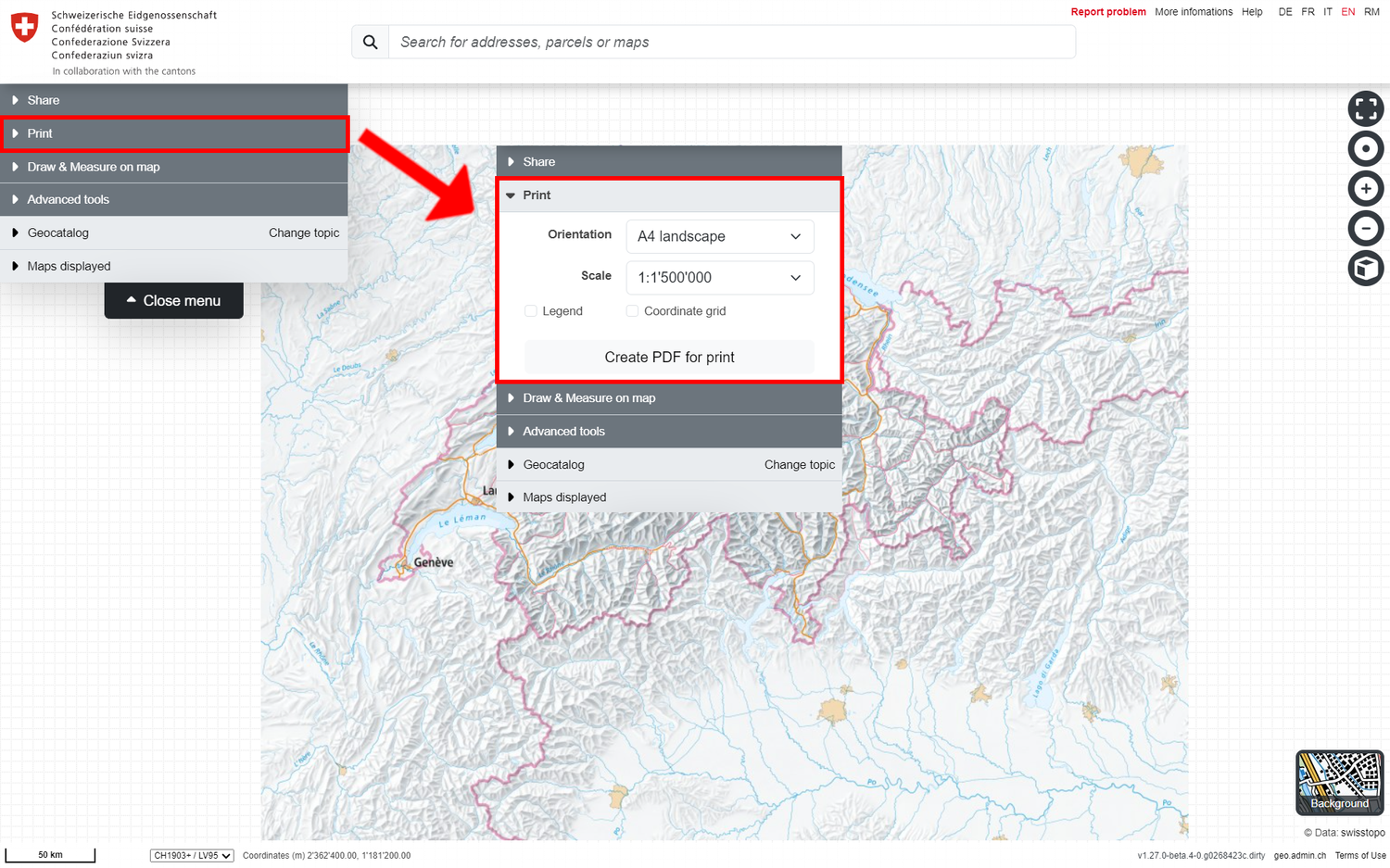
Print a true-to-scale section of my current map view
If you click on "Print" in the menu, the print area of the map is enclosed in a dark frame. The map can still be rotated, zoomed or moved. At the same time, the following properties for the print configuration appear:
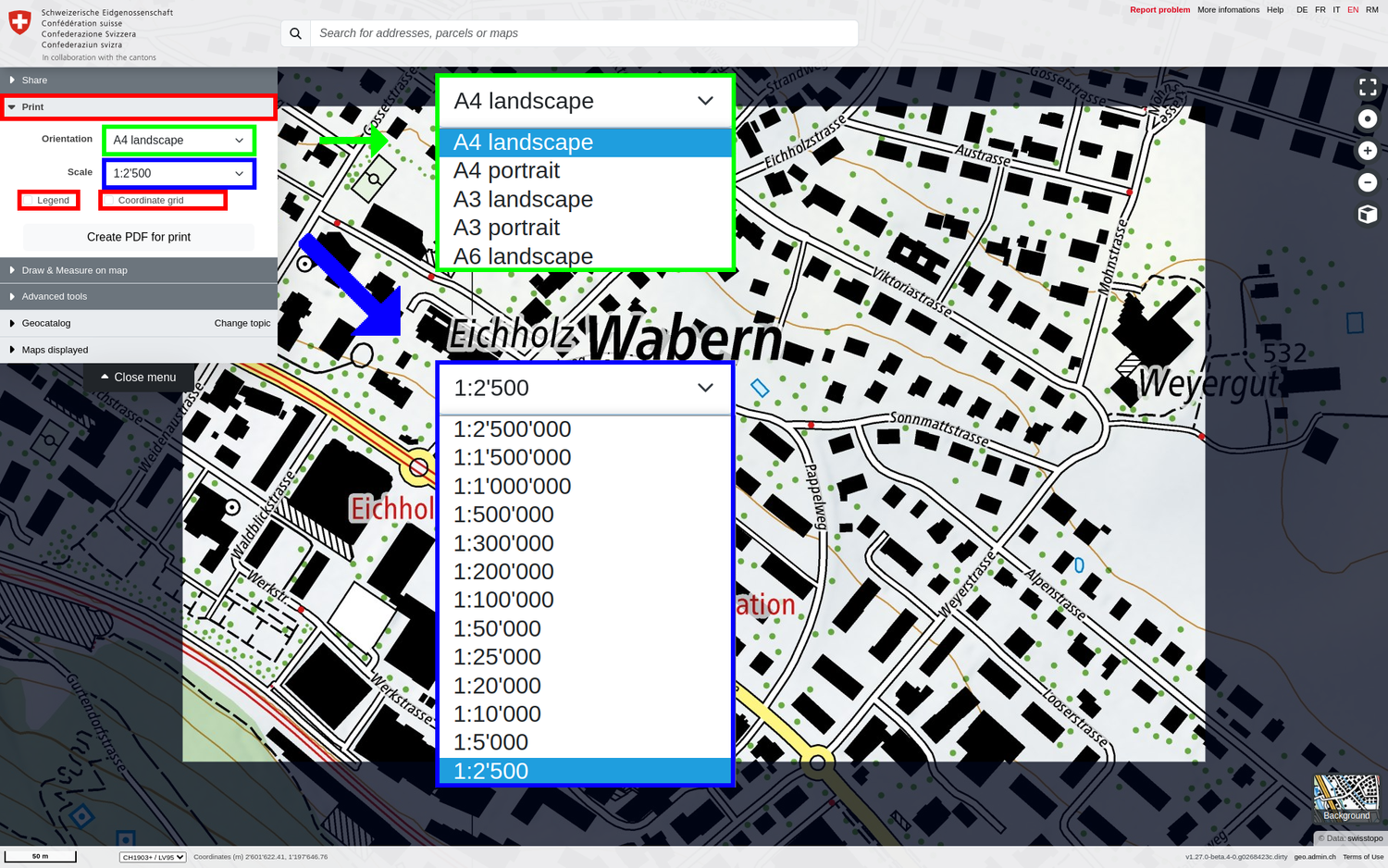
- Orientation and DIN format (portrait or landscape format, A3, A4 or A6)
- Scale: Corresponds to the exact target scale for the PDF to be printed
- Legend(s): If one or more geodata layers are loaded in addition to the background map, their legend information is included in the PDF on separate pages if this option is activated.
- Coordinate grid (optional): If this option is activated, a purple coordinate grid with the E and N coordinates in LV95 will also be displayed on the PDF.
Once all the settings have been made, the PDF can be generated using "Create PDF for print". It will be added to the downloads of your browser.
Note: The resulting PDF files are usually several MB in size. PDF generation can therefore take some time (depending on the quality of your internet connection).